Remove Image Backgrounds with AI
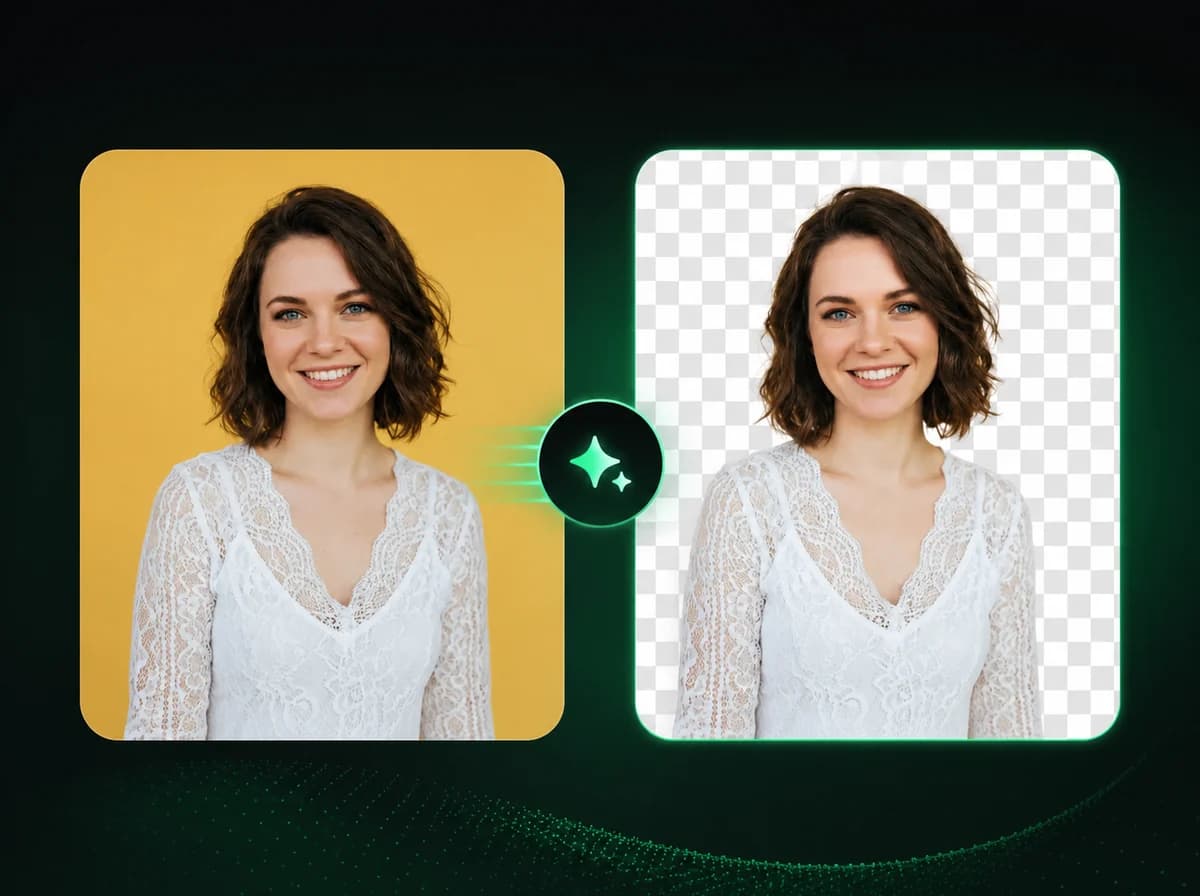
Upload a photo and AI automatically detects the subject, removes the background, and prepares a transparent PNG — no manual selection, no Photoshop.
Click to upload or drag and drop
PNG, JPG, WebP (Max 10MB)
Remove Image Backgrounds in 3 Steps
Get a clean transparent background with AI
Upload Your Image
Select the photo you want to process. We support PNG, JPG, and WebP files up to 10 MB. Click to browse or drag and drop directly onto the upload area. The clearer the original photo, the sharper the result.
AI Detects and Removes the Background
Once uploaded, our AI analyzes the image to identify the subject and separate it from the background. It processes edges — including hair, fur, and fine details — and produces a transparent layer after processing.
Download Your Transparent PNG
Your background-free image is ready to download after processing. The output is a transparent PNG at the original resolution, designed for use in design tools, product pages, presentations, or social assets.
Why Use iMideo's Background Remover
Fast Background Removal
Background removal is designed for quick online processing, with progress shown while the AI prepares the transparent PNG.
Fully Automatic
The AI handles subject detection and edge cleanup without any manual input from you.
Original Resolution Preserved
Output is designed to preserve the same resolution as your uploaded image while preparing a transparent PNG.
Multiple Input Formats
Accepts PNG, JPG, and WebP images up to 10 MB — the formats used in most workflows.
Secure Processing
Images are processed for background removal and handled according to the product retention policy. They are not used for AI model training.
Simple Pricing
New users receive free credits to try the tool. Each background removal costs 1 credit.
What Our Users Say
Lauren Marsh
E-Commerce Seller
I process product photos every week. This removes backgrounds cleanly without the fringing I got with other tools. White and transparent outputs both look sharp. Saves me a lot of time in post.
Kevin Osei
Product Photographer
The edge quality on fine product details — jewelry, glasses, thin straps — is noticeably better than what I was getting before. The output integrates cleanly into my editing workflow.
Maya Johansson
Social Media Manager
Needed quick cutouts for campaign visuals on a tight deadline. Uploaded the photos and got transparent PNGs without manual selections or cleanup.
Ravi Sharma
UI/UX Designer
I use it to prep reference images for mockups. The AI keeps edges precise enough that I don't need to refine them manually. Works well on both isolated and outdoor shots.
Clara Fontaine
Fashion Blogger
Outfit photos with complicated backgrounds used to take forever to clean up. Now I upload and download. The hair edges are handled well, which used to be the hard part.
James Okafor
Freelance Graphic Designer
Simple and fast enough for daily design work. The transparent output drops straight into Figma, and at 1 credit per image it fits my regular workflow.
Hana Kimura
Content Creator
I create thumbnail assets and need clean cutouts regularly. The tool handles people and object photos equally well. Fast results and the price per image is fair.
Daniel West
Marketing Manager
Our team uses this for visual assets in presentations and ad creatives. The auto-detection is accurate enough for our purposes and fits into the workflow without slowing anyone down.
Remove Image Backgrounds Online
Remove backgrounds from photos automatically with AI — no manual selections, no design skills required.