

Introduction
If you've scrolled TikTok or Instagram lately, you've probably seen a face swap video that made you do a double-take. A friend's face on a movie scene, a celebrity dancing in someone's living room. The tech behind it isn't one tool. It's actually four very different technical routes, and each one produces a noticeably different result.
This guide isn't another tool roundup. Instead, you'll get a head-to-head comparison of the four main technology routes used to create a face swap video frame-by-frame: open-source trained models (DeepFaceLab), instant inference tools (Roop/Rope), diffusion-based pipelines (InsightFace + Stable Diffusion), and cloud SaaS like AI Video Face Swap. I'll compare quality, temporal consistency, hardware needs, speed, and learning curve, so by the end you'll know which route fits your project, budget, and patience level.
Whether you're making a meme for friends or a polished short-form clip, this breakdown will save you days of trial and error.
Key Takeaways
- Four routes exist for face swap video: trained models (DeepFaceLab), instant inference (Roop/Rope), diffusion pipelines, and cloud SaaS.
- The quality vs effort tradeoff is real. DeepFaceLab still wins on identity fidelity but takes days; SaaS hits 90% quality in minutes.
- Temporal flicker is the #1 giveaway of a bad face swap video, and instant tools struggle with it most.
- GPU matters less in 2026. Cloud SaaS removed the 12GB VRAM barrier for casual creators.
- For most creators, a SaaS face swap video tool is the sensible default. Pro VFX studios still prefer trained pipelines.
The four technical routes behind every face swap video
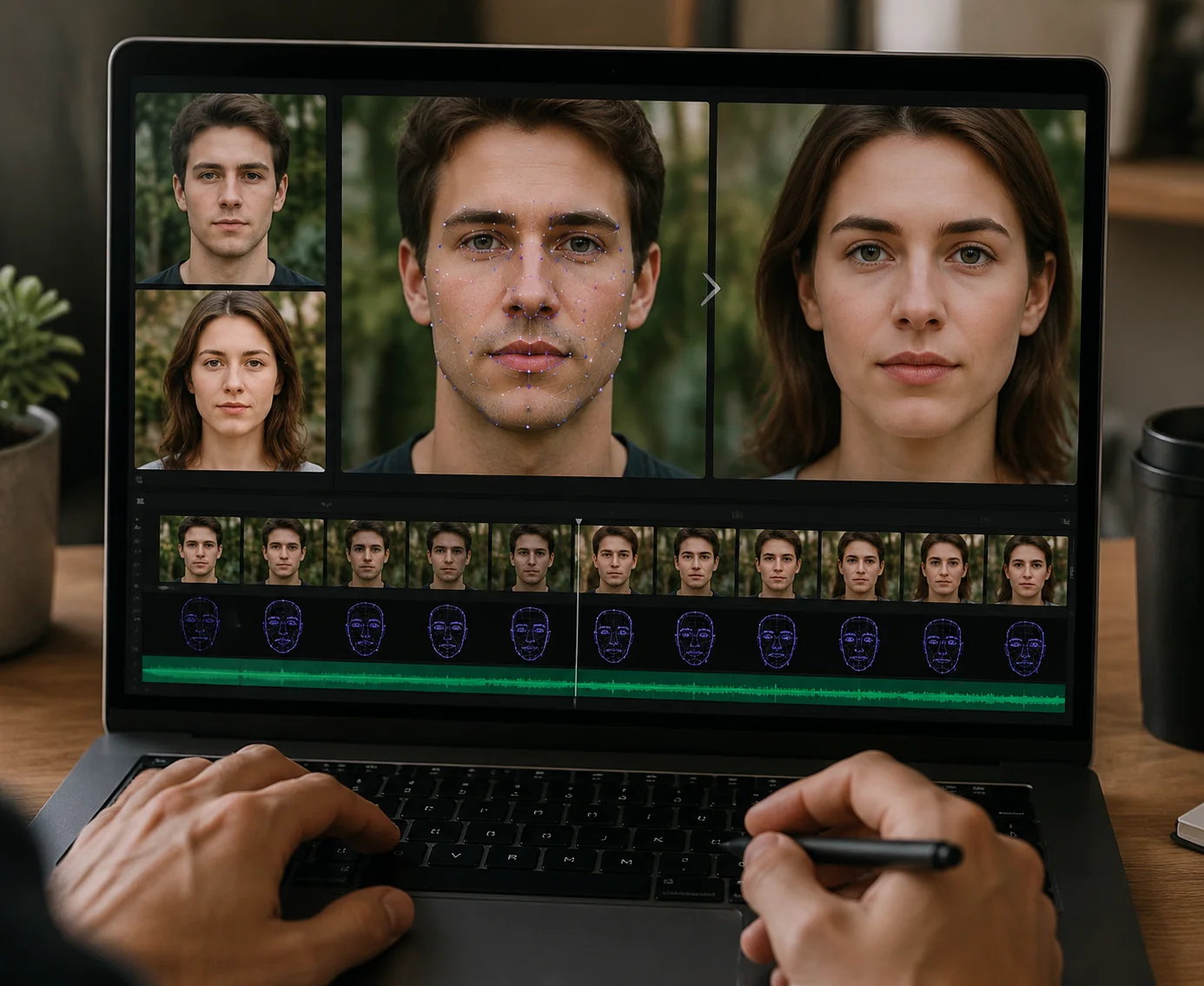
Every face swap video you've seen falls into one of four technical buckets. Understanding the difference helps you predict what each tool can (and can't) deliver.
1. Trained models (DeepFaceLab, DeepFaceLive)
This is the original deepfake route. You feed thousands of frames of both faces into a model and train it for 12–48 hours on a dedicated GPU. Result: extremely high identity fidelity, especially on side angles and expressions. The cost? Massive setup time, 8GB+ VRAM, and a command-line learning curve that scares off most casual creators.
2. Instant inference (Roop, Rope, FaceFusion)
These tools use pre-trained face recognition models (usually InsightFace's inswapper_128) to swap faces in seconds, no training required. The tradeoff: lower resolution (128px face region), visible blurring on close-ups, and noticeable frame-to-frame flicker because each frame is processed independently with no temporal awareness.
3. Diffusion-based pipelines
The newest route combines InsightFace identity encoders with Stable Diffusion or similar diffusion models. Quality is impressive (natural skin texture, better lighting integration) but processing is slow, often 5–10 seconds per frame, and requires careful prompt engineering. Best for hybrid workflows where you also want stylistic changes.
4. Cloud SaaS
Services like free face swap tools and premium platforms run optimized hybrid pipelines on server GPUs. You upload, wait a few minutes, download. No GPU, no install, no terminal. Quality now rivals trained models for most use cases thanks to proprietary temporal smoothing layers added on top of standard inference.
The route you pick determines everything else: quality ceiling, time investment, and whether your face swap video will look believable or obviously fake.
How to apply each route in practice
Let's get specific. Here's how each route performs on the dimensions that actually matter when you're producing a face swap video.
Quality: identity, expression, and details
On a static portrait, all four routes look fine. The differences show up on motion. DeepFaceLab wins on side profiles and subtle expressions because it learned your specific face. Roop/Rope handles frontal shots well but smudges teeth and eyes. You'll see it most when the subject laughs or speaks. Diffusion pipelines produce the most natural skin but can subtly drift the identity. SaaS tools typically combine inswapper-style inference with a super-resolution face restoration pass, which closes about 80% of the gap with trained models.
Temporal consistency: the flicker problem
This is where a face swap video lives or dies. Frame-independent tools (Roop, basic Rope) produce visible flicker because frame 100 doesn't know frame 99 existed. Trained models stay consistent because the model itself is stable. Top SaaS platforms apply optical-flow-based smoothing that ties frames together. Honestly, that's the single biggest reason cloud face swap output looks more polished than free local tools in 2026.
Speed and hardware (1-minute video, 30fps = 1800 frames)
- DeepFaceLab: 24+ hours training + 30 min inference, needs 8GB+ VRAM
- Roop/Rope: 3–8 minutes on RTX 3060, needs 6GB+ VRAM
- Diffusion pipeline: 90+ minutes, needs 12GB+ VRAM
- Cloud SaaS: 2–5 minutes, zero local hardware
AI Video Face Swap
Transform videos with AI face swap technology. Upload images to create realistic face replacements. Professional quality, fast processing, HD output.
Free to start • No credit card required • Professional quality

Learning curve
DeepFaceLab requires reading documentation, editing batch files, and understanding training loss curves. Roop/Rope offer one-click Web UIs but still need Python, dependency hell, and a capable GPU. Diffusion pipelines combine the worst of both: ComfyUI graphs that take hours to wire up correctly. SaaS is upload-and-wait. If you can use Instagram, you can use a SaaS face swap video tool.
Matching route to project
Quick meme or reaction clip? SaaS. TikTok or Reels content at scale? SaaS. Cosplay video where identity precision matters? Try Rope first, escalate to DeepFaceLab if needed. Commercial VFX with signed releases? DeepFaceLab. Stylized art video? Diffusion pipeline.
Common pitfalls that wreck a face swap video
Even with the right tool, these mistakes will tank your output. Watch for them before you blame the technology.
Source image quality is too low. A 480p selfie can't power a 1080p face swap video. The model has nothing to upscale from. Use a sharp, well-lit, front-facing photo at 1024px or higher. Multiple angles help if your tool supports them.
Lighting mismatch between source and target. If your source photo was shot in soft window light and the target video is harsh stage lighting, the swap will look pasted on. Some SaaS tools auto-relight; most free tools don't.
Extreme angles and occlusion. Hands over the face, hair across the cheek, or near-profile shots break most instant-inference tools. Trained models handle this better, but only if your training set included similar angles.
Ignoring temporal smoothing settings. If your tool exposes a "temporal" or "smoothing" toggle, turn it on. The 30-second longer render time is worth eliminating flicker.
Skipping consent. Face swap consent laws vary by region. Check your jurisdiction before publishing a face swap video featuring anyone who hasn't agreed to it.
Real-world examples: which route wins where
Theory is useful, but let's look at how each route plays out in the projects creators actually ship.
Short-form social content (TikTok, Reels, Shorts). Creators producing 3–5 face swap videos per week overwhelmingly use SaaS. The math is simple: 2 minutes of upload time beats 2 hours of local processing, and the audience watches on phones where the quality difference vanishes.
Meme accounts and reaction clips. Roop and Rope dominate here. Memes need speed and volume, not pixel-perfect identity. A free local tool that does 10 swaps an hour beats a paid service for high-frequency meme producers.
Cosplay and fan films. This is where cloud-based face swap video tools really shine. Cosplayers want their face on the character convincingly, and modern SaaS handles wigs, hats, and partial occlusion better than free options. For deeper context on choosing between approaches, the complete face swap guide for 2026 walks through more scenarios.
Brand and commercial work. Trained pipelines still rule here. When clients pay five figures and signed releases are in place, the extra 48 hours of DeepFaceLab training is trivial compared to the quality bump.
Hobbyist art experiments. Diffusion pipelines are the sandbox of choice, combining face swap with style transfer for projects that don't need realism.
Conclusion
The face swap video landscape isn't really a tool-versus-tool fight. It's a route-versus-route decision. Trained models still produce the highest-fidelity output, instant inference offers speed for memes, diffusion pipelines suit stylized work, and cloud SaaS now covers the sweet spot most creators actually live in: fast, accessible, and good enough that mobile audiences can't tell the difference.
For most creators in 2026, a SaaS face swap workflow is the sensible starting point. Try a free option first to see if the quality meets your needs, then upgrade only if a specific project demands it. Start with one short clip, iterate on lighting and source quality, and you'll be producing convincing face swap video content faster than you'd expect.
2026 technical update: temporal consistency matters most
Modern face swap video tools can usually match identity on a single frame. The harder problem is keeping that identity stable across hundreds or thousands of frames. That is why temporal smoothing, optical-flow tracking, and consistent source lighting matter more than the model name alone.
If a result flickers, do not immediately assume the tool failed. First shorten the clip, choose a steadier target video, avoid heavy motion blur, and use a source face with similar angle and lighting. These small input changes often fix instability before you need a more advanced workflow.
FAQ
How does AI face swap a moving video?
AI extracts each frame, detects the face, encodes its identity, replaces it with your source face, and reassembles the frames into a new video, usually with temporal smoothing to prevent flicker.
Why does face swap video flicker between frames?
Flicker happens when each frame is processed independently without awareness of neighbors. Tools with optical-flow smoothing or temporal models reduce it significantly.
How long does it take to face swap a 1-minute video?
Cloud SaaS takes 2–5 minutes, Roop/Rope takes 3–8 minutes on a mid-range GPU, and DeepFaceLab takes 24+ hours including training.
Can face swap video keep the original audio?
Yes. Virtually every tool preserves the original audio track since only video frames are modified.
What video resolution works best for face swap?
1080p is the sweet spot. 4K input gets downsampled by most face models anyway, and 720p limits final sharpness.