
What is an AI video agent?
An AI video agent is a tool you talk to instead of operate. You describe the video you want, attach references if you have them, and the agent decides which model or tool to run, in what order, with what settings.
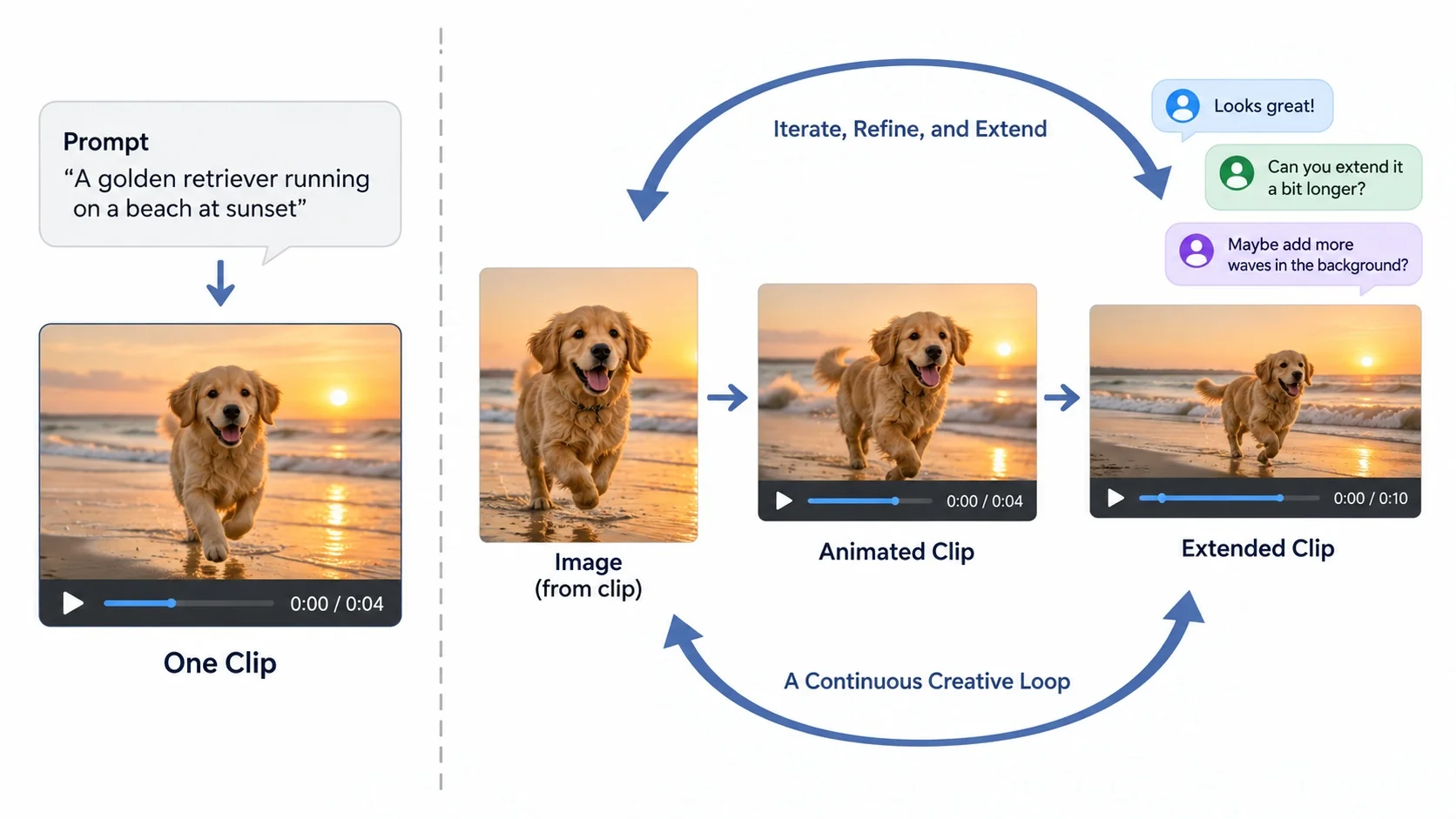
A plain text-to-video generator takes one prompt and returns one clip. An agent keeps the conversation going, so your next message can build on the last result.
That difference sounds small until you try to make something longer than five seconds.
With a generator you are the project manager: you write the prompt, pick the model, download the clip, open another tool to extend it, and start over when the face drifts. With an agent, that routing happens inside one thread.
If you want the background on the generator side first, our image to video guide covers how the underlying models behave.
This list covers five tools that call themselves an AI video agent in 2026. We looked at their own product pages and pricing, not press releases, and grouped them by what they are built to produce.
How we compared them
Every vendor says its agent "understands your intent." That claim is hard to test and easy to write, so we ignored it. We compared four things you can check yourself in a few minutes:
- Inputs: what you can hand the agent, such as text, images, video, a URL or an audio file.
- Revision style: whether you fix a result by chatting, by clicking an element, or by regenerating.
- Cost visibility: whether you see the price of a task before it runs.
- Output type: a finished, edited video with voiceover and music, or a single generated clip you keep building on.
The last point matters most. Some agents are production pipelines that hand you a publish-ready ad. Others are creative workspaces where you shape a shot over several turns. Neither is better in general. They solve different jobs.
AI video agents at a glance
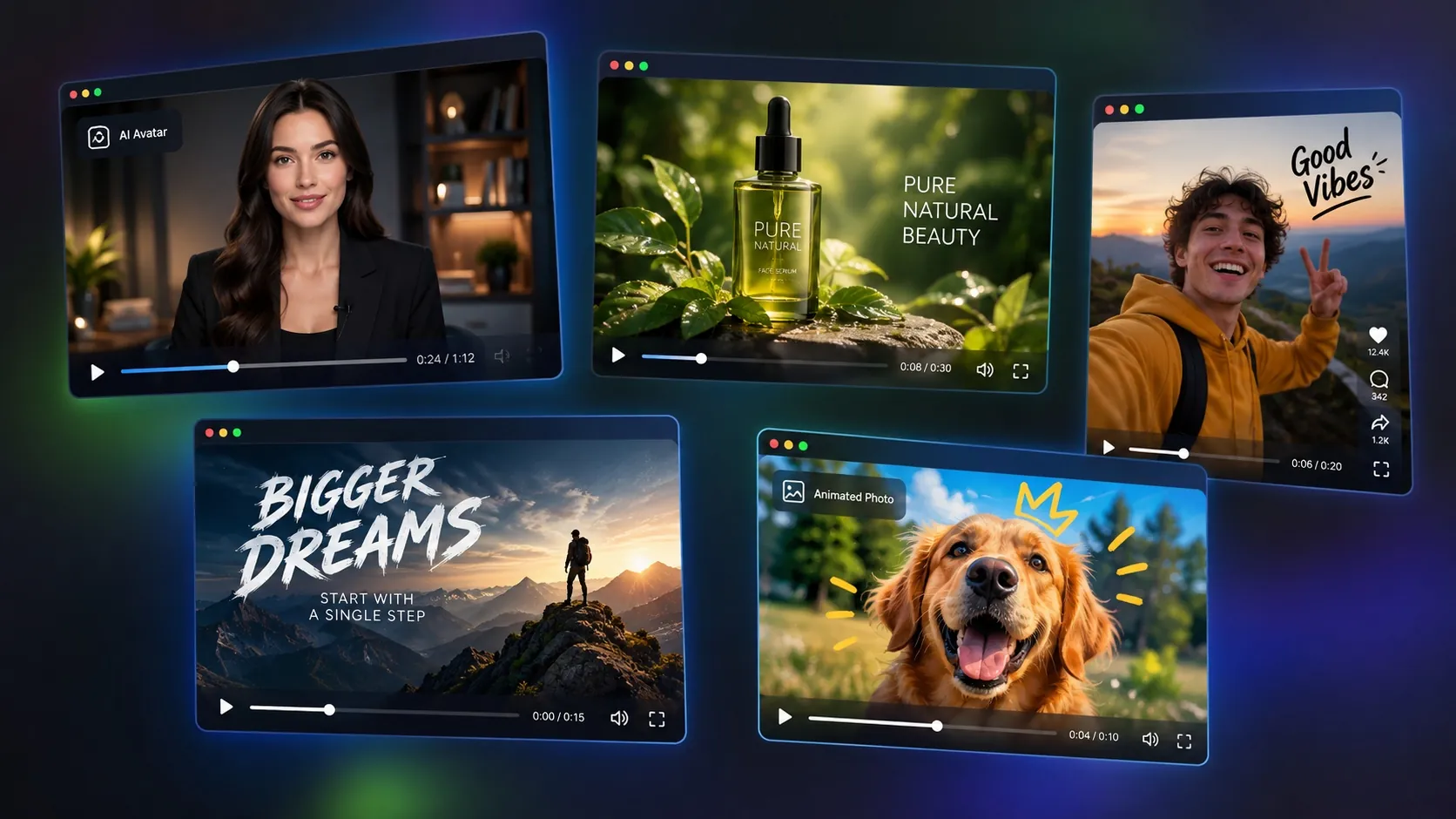
| Tool | Best for | Main inputs | How you revise | Output |
|---|---|---|---|---|
| HeyGen Video Agent | Avatar explainers and training videos | Prompt or script | Chat, then edit elements in AI Studio | Edited video with avatar, voiceover, motion graphics |
| Pexo | Launch videos and product explainers | Idea, URL, PDF, image, video, audio | Mark a moment and comment, like a doc | Finished video with voiceover, music, subtitles |
| Agent Opus | Social story videos and ad variants | Idea, script, audio, brand assets | Remix templates and regenerate | Publish-ready short video |
| Pippit | E-commerce and TikTok marketing | Link, file, media, reference video | Keep chatting in the same thread | Marketing video, images, avatar clips |
| iMideo AI Video Agent | Iterating on visual clips from your own media | Text, JPG/PNG/WebP images, MP4 video | Chat on top of the last result | Generated images and clips, extended or swapped step by step |
Pricing changes often, so check each vendor before you commit. The notes below reflect what each site listed when we reviewed them in October 2026.
1. HeyGen Video Agent
HeyGen built its name on AI avatars, and its Video Agent extends that. You type a prompt (up to 500 characters on the landing page), pick a length and orientation.
The agent then writes a script, chooses visuals, adds a voiceover and cuts it together. Before rendering it shows a scene-by-scene breakdown, which is useful if you need sign-off from someone else.
The standout feature is post-render editing. Motion graphics stay editable after generation, so changing a headline or a color does not mean regenerating the whole video. HeyGen also lists support for more than 175 languages and dialects.
Where it fits: training, onboarding, sales explainers and anything that needs a talking presenter. Where it does not: cinematic shots, character animation from your own photos, or face and body swaps. Paid plans start at $29 per month for Creator according to third-party pricing roundups, with a limited free tier.
2. Pexo
Pexo calls itself "the AI video agent that turns your ideas into videos" and reached Product Hunt's #1 Product of the Day. You can start from a URL, a PDF, an image, a video, an audio clip or just an idea. Pexo then drafts the script, scenes and shots with you before generating.
Its revision model is the most interesting on this list: you mark the part you want to change and leave a note, similar to commenting in a Google Doc.
Pexo routes each step to a model it picks, with Seedance, Kling, GPT Image 2 and Nano Banana among those listed. It also offers a CLI and MCP integration, which matters if you want to call it from your own tools.
Where it fits: launch videos, animated explainers and product ads that should be ready to post. Where it does not: when you want direct control over which model renders a specific shot.
AI Video Agent
Create images and videos by chat with iMideo's AI video agent. Upload references, review the plan and credits, then animate, edit, or extend your next clip.
Free to start • No credit card required • Professional quality
Start Creating Free →3. Agent Opus
Agent Opus comes from the team behind OpusClip. It focuses on full story videos for social media, built from a script, a voice recording or a starting idea plus your brand assets.
A large part of the product is a library of viral formats you can "recreate" with your own content, which is a quick way to get a first draft when you do not know what to make. For format ideas you can also borrow from 2026 Reels trends.
The pitch is volume: upload brand assets once and generate new ad variants on demand. New accounts get 90 free credits without a credit card, enough to test a few formats.
Where it fits: creators and small brands posting daily, and teams testing ad variations. Where it does not: one-off creative shots, or edits to footage you already have.
4. Pippit
Pippit is ByteDance's creative agent, powered by CapCut and tied into the TikTok ecosystem. It has a video agent, a separate image agent and digital avatars in one product.
The video agent turns a link, file or media into a video with custom aspect ratio and length, and its reference video mode copies the structure and pacing of a trending clip for a new story.
Model access is broad, with Seedance 2.5, Veo 3.1, Sora 2 and Nano Banana Pro listed. The image agent handles product posters and background swaps, which makes Pippit a practical pick for online sellers who need both stills and video.
If your goal is turning product photos into short clips, our guide to making TikTok videos from photos walks through the same idea with simpler tools.
Where it fits: e-commerce listings, TikTok Shop content and short marketing videos. Where it does not: longer narrative work, or when you want a tool outside the ByteDance stack.
5. iMideo AI Video Agent
Full disclosure: iMideo is our product, so weigh this section accordingly. We built the iMideo AI video agent for a different job than the four tools above. It does not assemble a narrated, edited video with music. It helps you make and refine visual clips, one step at a time, from your own media.
You chat, attach JPG, PNG or WebP images (up to 20 MB) or MP4 videos (up to 30 MB), and the agent picks one of its tools: text or image to image, image to video, reference to video, video to video, video extension, or face, head and body swap.
If you do not mention video, it makes an image first, which is usually the cheaper way to lock in a look before animating it.
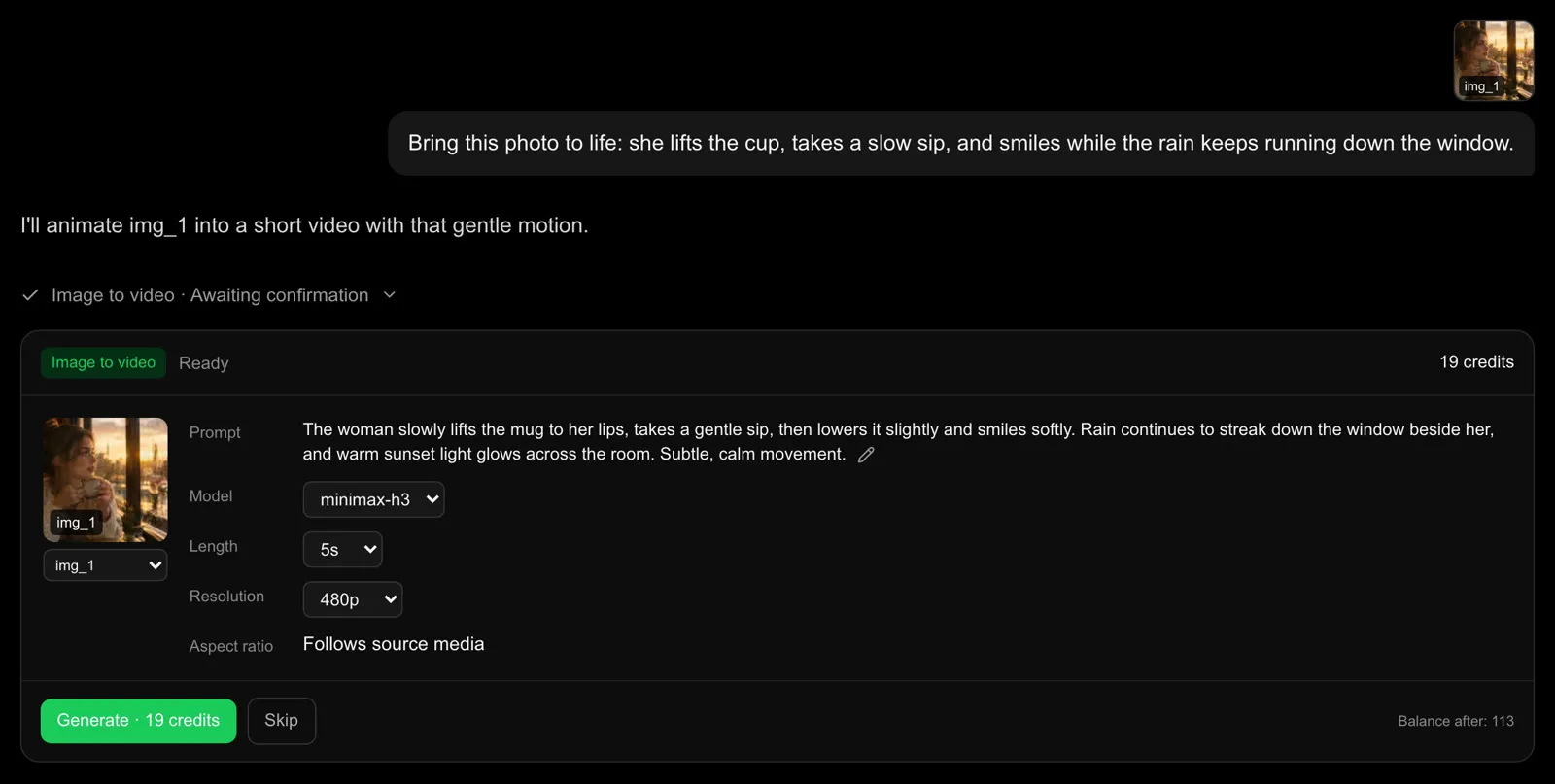
The part we care about most is cost visibility. Before anything runs, the agent shows a confirmation card with the tool, model, settings and credit cost, and you choose Generate or Skip. Nothing starts on its own. If you have used tools that quietly burn credits on retries, you will see why we made this the default.
Here is one full run, recorded on October 14, 2026: a photo, two sentences, two confirmation cards and a 10-second clip. Only the generation wait is sped up.
Where it fits: animating a product photo, extending a clip that ends too early, swapping a face into a scene (see how to swap faces in video), or keeping a character consistent across several shots. Where it does not: avatar presenters, voiceover or a finished multi-scene edit.
Plans start at $7.49 per month billed yearly for 150 credits a month, and credits do not expire.
How to choose an AI video agent
Start from the output you need, not the feature list.
- You need a presenter explaining something: HeyGen.
- You need a finished launch or explainer video from a URL or doc: Pexo.
- You post short social videos every day and want templates: Agent Opus.
- You sell products on TikTok or need posters and videos together: Pippit.
- You have photos or footage and want to animate, extend or swap them shot by shot: iMideo.
Two habits save money with any agent. First, get the still image right before asking for motion, since image generation costs a fraction of video. Second, keep the first test short, around five seconds, and only scale length once the look works. Our AI video generator comparison shows how fast per-second costs add up on premium models.
If face or character consistency matters, read head swap vs face swap before you pick a workflow. For a broader look at single-prompt generators, see the same 2026 roundup, which covers Veo 3.1, Kling 3.0, Runway Gen-4.5 and five others.
Is an AI video agent better than a video generator?
It depends on the job. If you already know the exact prompt and model you want, a direct generator is faster and gives you more control over settings. Since Sora shut down in 2026, our image to video guide covers good single-model options.
An agent earns its place when the job has several steps: make a still, animate it, extend it, then fix one detail.
Each step depends on the last, and an agent keeps that context so you are not re-uploading files and rewriting prompts. It also helps when you are unsure which tool fits, since you can describe the goal and let the agent choose.
The trade-off is transparency. Some agents hide which model they used, or charge for steps you did not ask for. Before you commit to one, run a single task and check what it told you about model and cost before it started.
Frequently asked questions
What is the best AI video agent in 2026?
It depends on the output. HeyGen leads for avatar explainers, Pexo for finished launch videos, Agent Opus for daily social content, Pippit for e-commerce, and iMideo for iterating on clips from your own images and footage.
Is there a free AI video agent?
Most offer a free trial rather than a free plan. Agent Opus gives 90 free credits, HeyGen has a limited free tier with watermarks, and Pexo, Pippit and iMideo let you start for free before paying.
Can an AI video agent edit my existing video?
Some can. iMideo can restyle, extend or swap faces in an MP4 you upload. HeyGen lets you edit elements of videos it generated. Pexo accepts video as a reference input.
Do AI video agents add voiceover and music?
HeyGen, Pexo, Agent Opus and Pippit produce videos with narration or music. iMideo focuses on visuals, so you would add audio in a separate step, for example with AI sound effects.
How much does an AI video agent cost?
Expect $8 to $30 per month for entry plans, billed in credits. Cost per video depends on length, resolution and model, so check whether the agent shows the price before each task.
Is an AI video agent the same as an AI video generator?
No. A generator runs one model on one prompt. An agent plans the steps, picks tools, and keeps context between requests so you can refine a result through conversation.
Conclusion
The five tools here share a label, but they are built for different jobs. HeyGen, Pexo, Agent Opus and Pippit are production pipelines: you describe a video, and they return something close to finished, with voice, music and edits.
iMideo is a creative workspace where you build a clip step by step from your own photos and footage and see the cost before each step runs.
Pick by output. If you need a presenter or a narrated explainer, start with HeyGen or Pexo. If you post short social content daily, try Agent Opus or Pippit.
If you want to animate, extend or swap faces in media you already have, try an AI video agent that lets you approve every task, then judge it on one real project rather than on its demo reel.
Run the same five-second test in two tools, compare what each showed you before it charged, and keep the one that matched your shot.