
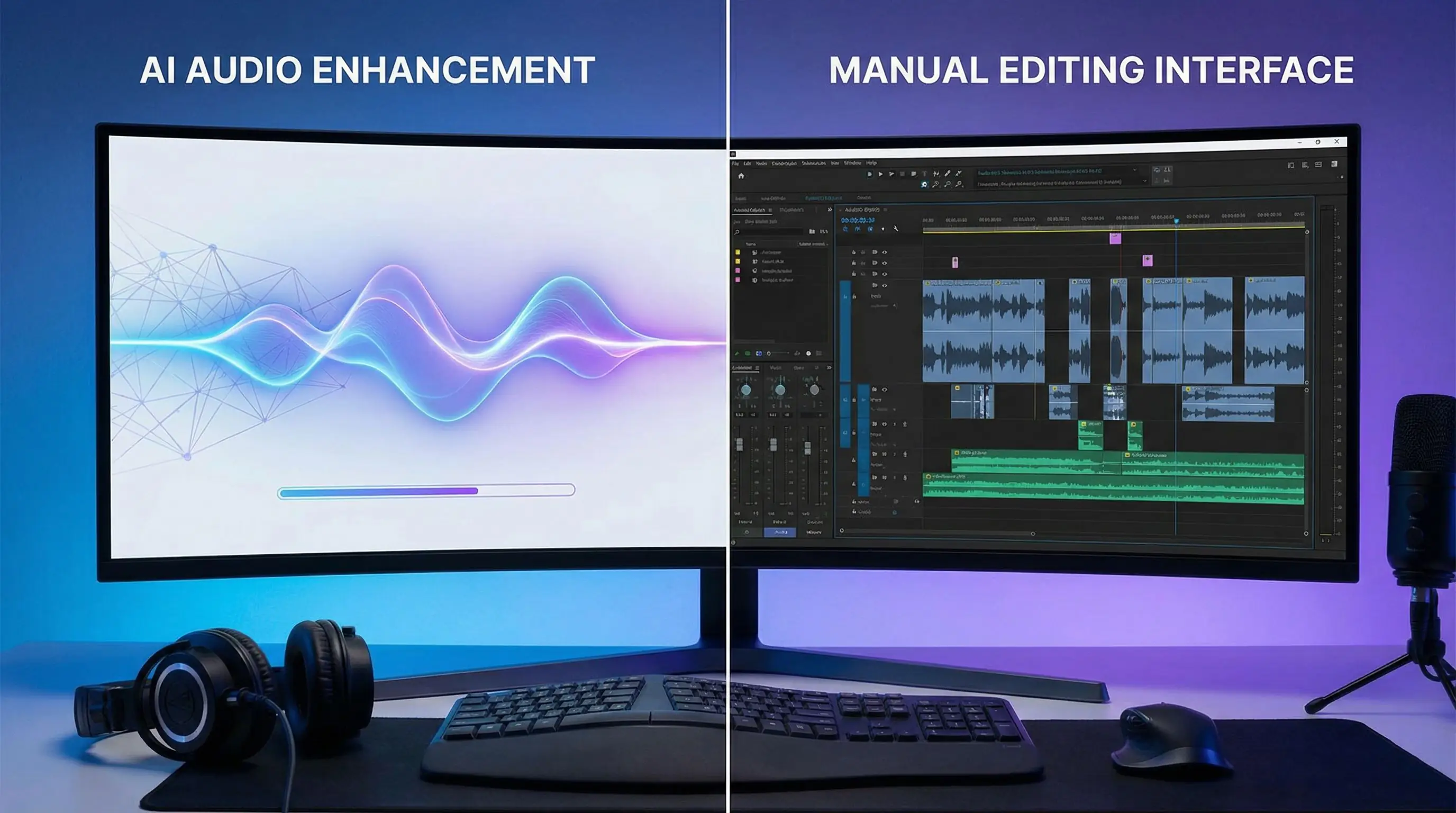
Introduction to Add AI Sound Effects to Video: MMAudio vs Manual Editing
Learning how to add sound effects to video has become essential for content creators in 2025. Whether you're producing YouTube tutorials, TikTok clips, or professional marketing videos, audio quality can make or break viewer engagement. The challenge? Traditional manual editing requires hours of work, expensive software licenses, and advanced technical skills. Enter AI-powered solutions like MMAudio that promise to add sound effects to video automatically in seconds.
This comprehensive guide compares AI-driven audio enhancement against traditional manual methods. You'll discover how modern tools can add sound effects to video with minimal effort, when manual editing still holds advantages, and practical tutorials for both approaches. By the end, you'll know exactly which method suits your workflow and budget.
AI vs Manual Sound Effects: Which Method Wins in 2025?
The debate between AI automation and manual craftsmanship has reached video audio production. When you add sound effects to video using artificial intelligence, algorithms analyze visual content frame-by-frame to generate contextually appropriate audio. Manual editing, conversely, relies on human creativity and technical expertise to select, layer, and synchronize sound effects precisely.
Speed and Efficiency Comparison
AI tools like MMAudio can add sound effects to video in under 60 seconds for a 2-minute clip. The system automatically detects actions, objects, and scene transitions to insert appropriate audio cues. Manual editing the same footage typically requires 30-90 minutes, involving sound library searches, timeline adjustments, and multiple preview iterations. For high-volume content creators producing 10+ videos weekly, this time difference translates to dozens of saved hours monthly.
Quality and Customization Trade-offs
Manual editing offers unmatched creative control when you add sound effects to video. Professionals can fine-tune volume curves, apply complex filters, and layer multiple audio tracks for cinematic depth. AI solutions excel at consistency and speed but may miss subtle creative opportunities. A car chase scene might receive generic engine sounds from AI, while a skilled editor could add tire screeches, gear shifts, and environmental echoes for immersive realism.
Cost Analysis
Traditional audio editing software like Adobe Audition costs $20-50 monthly, plus potential sound library subscriptions ($15-30/month). AI platforms often bundle sound effect generation with video creation tools. For instance, platforms offering VEO 3 AI video generator capabilities frequently include audio enhancement features in their base pricing, eliminating separate subscriptions.
Learning Curve Considerations
Mastering professional audio software requires weeks of training to understand waveforms, compression, EQ settings, and synchronization techniques. AI tools designed to add sound effects to video typically feature one-click interfaces requiring zero technical knowledge. This accessibility democratizes video production for beginners, small businesses, and solo creators without audio engineering backgrounds.
How to Add Sound Effects to Video Using MMAudio: Complete Tutorial
MMAudio represents the cutting edge of AI audio generation technology. This step-by-step guide demonstrates how to add sound effects to video using this powerful tool, from initial upload through final export.
Step 1: Prepare Your Video File
Before uploading, ensure your video meets MMAudio's technical requirements. The platform accepts MP4, MOV, and AVI formats up to 4K resolution and 10-minute duration. Remove any existing audio tracks if you want completely AI-generated sound, or keep dialogue/music tracks if you only want to add sound effects to video as supplementary layers. Export your video at 30fps or higher for optimal AI analysis accuracy.
Step 2: Access MMAudio Interface
Navigate to the MMAudio sound effects generator and create a free account if you haven't already. The dashboard displays recent projects and a prominent upload button. Click "New Project" and select your prepared video file. Upload speeds depend on file size, but a typical 2-minute 1080p video uploads in 15-30 seconds on standard broadband connections.
Step 3: Configure Audio Generation Settings
Once uploaded, MMAudio's AI begins analyzing your video content. You'll see three primary configuration options to customize how the system will add sound effects to video:
- Sound Density: Choose between Minimal (only major actions), Balanced (recommended default), or Rich (detailed ambient sounds). Product demos typically work best with Balanced settings, while action sequences benefit from Rich configurations.
- Audio Style: Select from Realistic, Cinematic, Cartoon, or Sci-Fi presets. Each applies different processing to generated sounds - Cinematic adds reverb and bass enhancement, while Cartoon uses exaggerated, punchy effects.
- Volume Mix: If your video contains existing audio, adjust the slider to balance original content against new sound effects. Settings range from 0% (mute original) to 100% (subtle effect layering).
Step 4: AI Analysis and Preview
Click "Generate Sound Effects" to initiate processing. MMAudio's neural networks analyze visual elements frame-by-frame, identifying objects, movements, and scene changes. A progress bar indicates completion status - typical processing takes 1-3 minutes depending on video length and server load. The system automatically detects events like door closings, footsteps, vehicle movements, and environmental sounds to add sound effects to video contextually.
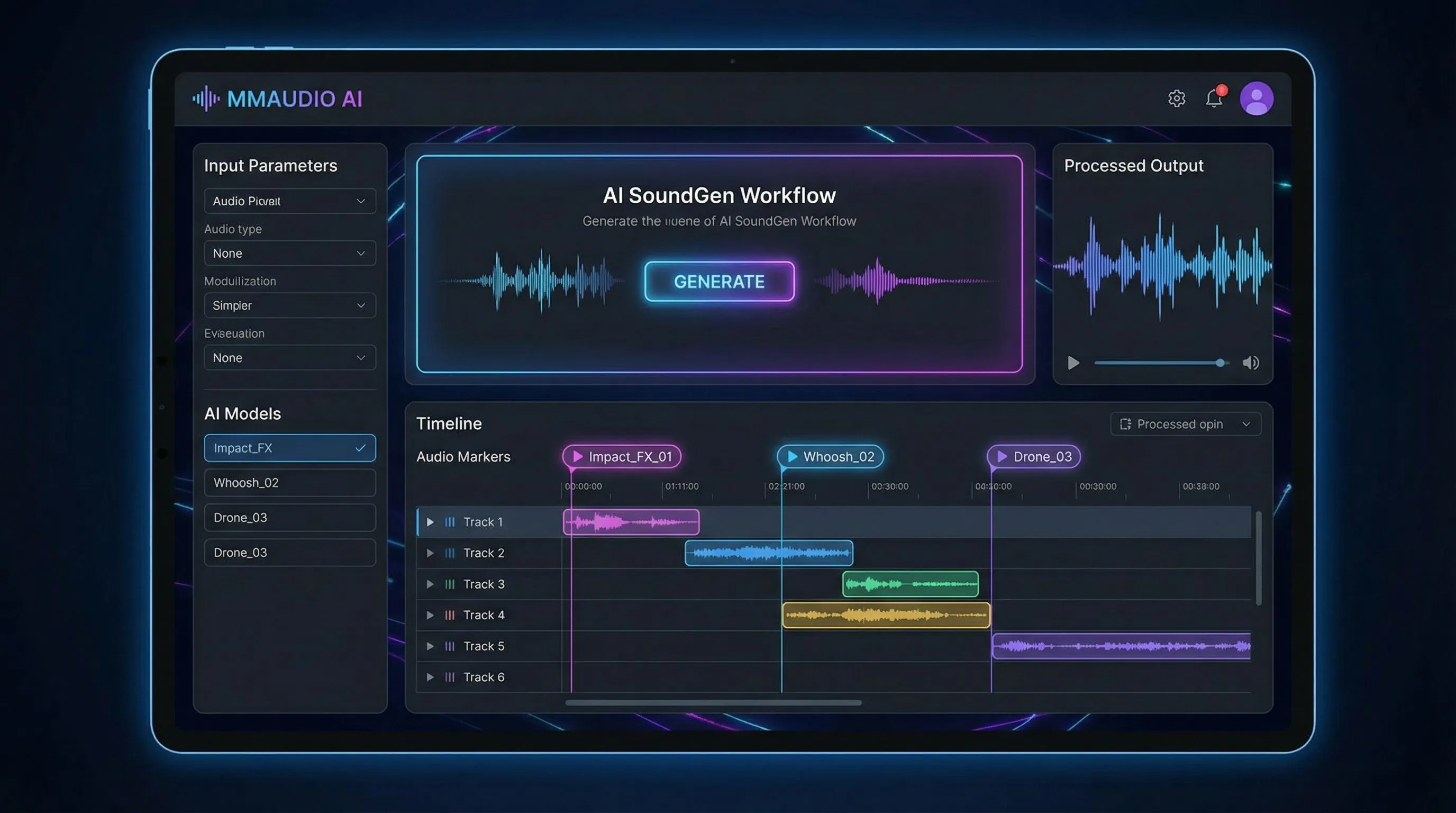
Once complete, the preview player loads with synchronized audio. Scrub through the timeline to review AI-generated sounds. MMAudio highlights detected events with colored markers - blue for movement sounds, green for environmental audio, orange for impact effects. This visual feedback helps identify any missed or incorrect sound placements.
Step 5: Manual Adjustments and Refinements
While MMAudio excels at automatic generation, the platform includes editing tools for fine-tuning. Click any timeline marker to access adjustment options:
- Sound Replacement: If the AI selected an inappropriate effect, browse the integrated sound library (10,000+ effects) to swap alternatives. Search by keyword or category.
- Timing Adjustment: Drag markers left/right to synchronize sounds precisely with visual actions. Useful when AI timing feels slightly off.
- Volume Control: Adjust individual effect volumes without affecting overall mix. Reduce overpowering sounds or boost subtle details.
- Effect Removal: Delete unwanted auto-generated sounds by selecting markers and pressing Delete key.
These manual controls bridge the gap between pure AI automation and traditional editing, letting you add sound effects to video with both speed and creative control.
Step 6: Advanced Features for Professional Results
MMAudio offers premium features for users requiring broadcast-quality output:
- Spatial Audio: Enable 3D sound positioning to match visual movement across the frame. Objects moving left-to-right receive corresponding stereo panning.
- Ambient Soundscapes: AI generates continuous background audio (wind, traffic, room tone) based on scene context, not just discrete sound effects.
- Dynamic Range Compression: Automatically balances loud and soft sounds for consistent volume across your video, essential for social media uploads.
- Custom Sound Libraries: Upload proprietary sound effects to train MMAudio's AI on your brand's specific audio signature.
Step 7: Export and Download
After finalizing adjustments, select your export settings. MMAudio offers three output options:
- Video with Embedded Audio: Downloads complete video file with sound effects merged. Choose MP4 for universal compatibility or MOV for editing in professional software.
- Audio Track Only: Exports just the generated sound effects as WAV or MP3, useful if you want to add sound effects to video in external editing software with more control.
- Project File: Saves editable MMAudio project for future modifications without re-processing.
Select quality settings (Standard, High, or Lossless) based on your needs. High quality suffices for YouTube and social media, while Lossless preserves maximum fidelity for professional broadcast. Click "Export" and processing begins - typical wait times range from 30 seconds to 3 minutes.
Step 8: Quality Check and Iteration
Download your completed video and review in your standard playback environment. Check for audio-visual synchronization issues, inappropriate sound selections, or volume imbalances. If adjustments are needed, return to your MMAudio project (automatically saved) and refine specific sections. The platform's non-destructive editing means you can iterate unlimited times without quality degradation.
Pro Tips for Optimal MMAudio Results
Maximize AI accuracy when you add sound effects to video with these expert techniques:
- Upload videos with clear, well-lit footage - AI visual recognition improves with better source quality
- Avoid heavily edited videos with rapid cuts under 0.5 seconds - gives AI insufficient context
- For dialogue-heavy content, use the "Preserve Speech" option to prevent sound effects from masking voices
- Test different Audio Style presets with the same video - sometimes Sci-Fi settings work surprisingly well for modern tech demos
- Combine MMAudio with automatic subtitle generation for complete video post-production automation
Best Practices to Add Sound Effects to Video in 2025
Whether using AI or manual methods, following industry best practices ensures professional results when you add sound effects to video content.
Audio Hierarchy and Mixing
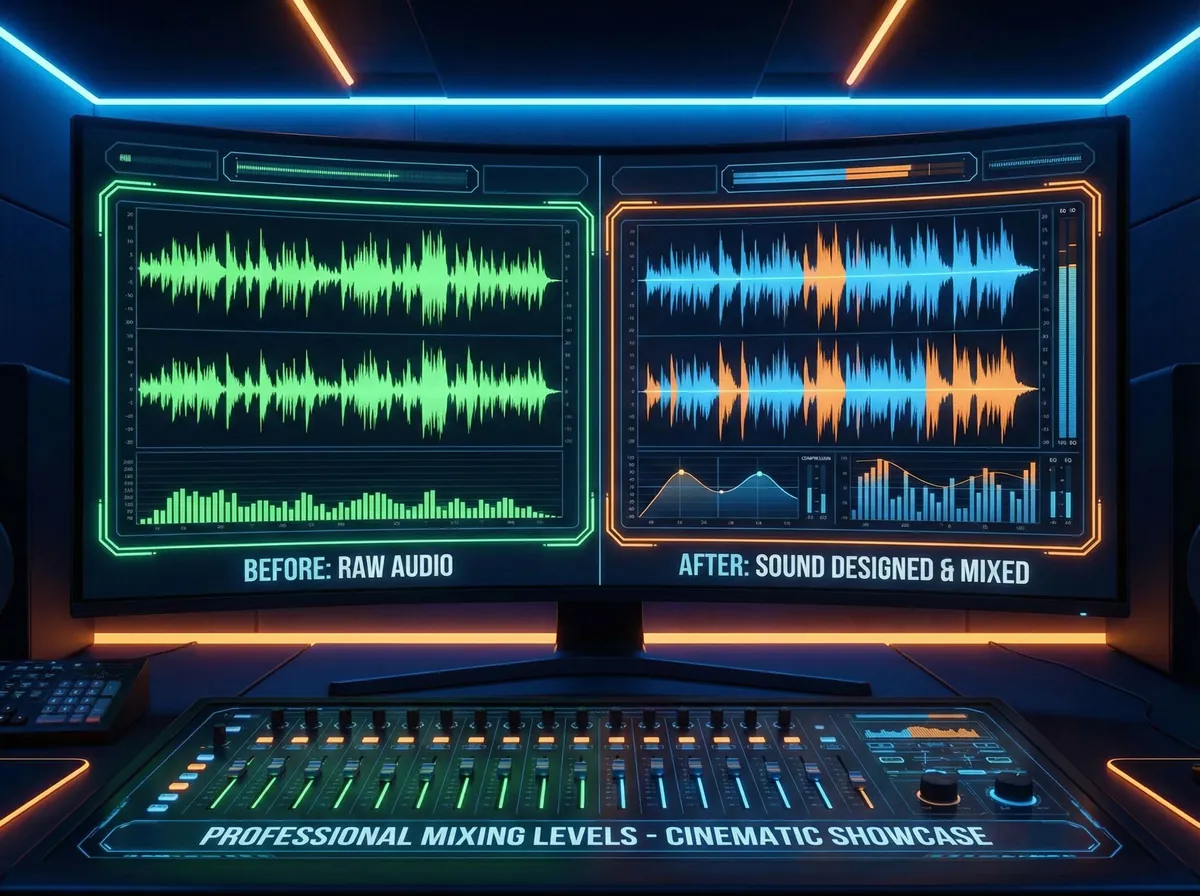
Establish clear priority levels for different audio elements. Dialogue should occupy the foreground at -12dB to -6dB, music beds at -20dB to -18dB, and sound effects at -18dB to -12dB depending on context. This hierarchy prevents muddy audio where competing sounds mask important content. When you add sound effects to video, always reference your dialogue levels first, then build effects around speech rather than vice versa.
Contextual Appropriateness
Sound effects must match visual context precisely. A wooden door closing sounds distinctly different from metal or glass. AI tools sometimes generalize these nuances, so manually verify that generated sounds align with on-screen materials and environments. Corporate videos benefit from subtle, professional sound design, while gaming content can embrace exaggerated, punchy effects.
Avoiding Audio Fatigue
Resist the temptation to add sound effects to video for every minor action. Oversaturation creates exhausting viewing experiences. Strategic silence enhances impactful moments - not every mouse click, keyboard tap, or head turn requires audio reinforcement. Analyze successful content in your niche to identify appropriate sound effect density for your audience expectations.
Format-Specific Optimization
Different platforms require different audio approaches. YouTube videos benefit from dynamic, engaging sound design with moderate compression. Instagram Reels and TikTok demand punchy, attention-grabbing effects optimized for mobile speakers and autoplay-muted scenarios. Podcast-style videos should minimize sound effects to prevent distraction from spoken content. When you add sound effects to video, always consider final distribution channels during the planning phase.
Legal and Licensing Considerations
Ensure all sound effects carry appropriate licenses for your use case. AI-generated audio from platforms like MMAudio typically includes commercial usage rights, but verify terms before monetizing content. Manual editing with third-party sound libraries requires careful license tracking - royalty-free doesn't always mean commercially licensed. Maintain organized records of audio sources to address potential copyright claims.
Accessibility and Inclusive Design
Sound effects should enhance, not replace, visual information for accessibility compliance. Viewers with hearing impairments rely on captions and visual cues. When you add sound effects to video, ensure critical information remains conveyed through on-screen elements. Conversely, visually impaired audiences benefit from descriptive audio - consider adding narration describing visual-only actions alongside sound effects.
Testing Across Devices
Audio playback varies dramatically between devices. Effects that sound perfect on studio monitors may become muddy on smartphone speakers or overly bass-heavy on laptop speakers. Before publishing, test your video on at least three device types: desktop/laptop, smartphone, and tablet. Pay special attention to low-frequency effects which often disappear on mobile devices, requiring EQ adjustments for consistent cross-platform experience.
Frequently Asked Questions
Can AI add sound effects automatically?
Yes, modern AI systems can automatically add sound effects to video by analyzing visual content frame-by-frame. Tools like MMAudio use computer vision to detect objects, actions, and scene transitions, then generate contextually appropriate audio. The technology identifies events like footsteps, door closings, vehicle movements, and environmental sounds without manual input. While AI automation works well for standard scenarios, complex creative projects may still benefit from human oversight to ensure artistic intent and subtle nuances are preserved.
What is MMAudio?
MMAudio is an AI-powered platform that can add sound effects to video automatically using advanced neural networks. The system analyzes uploaded videos to identify visual elements requiring audio enhancement, then generates synchronized sound effects matching on-screen actions. MMAudio offers customization options including sound density controls, audio style presets (Realistic, Cinematic, Cartoon, Sci-Fi), and manual editing tools for refinement. The platform processes videos in 1-3 minutes and supports formats up to 4K resolution, making it accessible for both beginners and professional content creators seeking efficient audio post-production workflows.
Is AI better than manual editing?
AI and manual editing each excel in different scenarios when you add sound effects to video. AI tools offer superior speed (60 seconds vs 30-90 minutes), lower costs (bundled platforms vs separate software subscriptions), and zero learning curve, making them ideal for high-volume content production, social media videos, and creators without audio engineering backgrounds. Manual editing provides unmatched creative control, subtle artistic nuances, and complex layering capabilities essential for cinematic projects, brand films, and content requiring specific audio signatures. The optimal approach often combines both methods - using AI for initial sound effect generation, then manually refining critical sections for professional polish.
Conclusion: Choosing Your Sound Effects Workflow
The decision to add sound effects to video using AI versus manual methods ultimately depends on your specific needs, budget, and creative goals. AI platforms like MMAudio have democratized professional-quality audio production, enabling solo creators and small teams to achieve results previously requiring dedicated sound designers. The technology excels at speed, consistency, and accessibility while continuously improving through machine learning advancements.
However, manual editing retains irreplaceable value for projects demanding artistic precision, brand-specific audio signatures, or complex soundscape layering. Professional studios, feature films, and high-budget commercials will continue relying on human expertise for the foreseeable future. The most practical approach for many creators involves hybrid workflows - leveraging AI for rapid baseline audio generation, then applying manual refinements to critical sections requiring special attention.
As you develop your video production process, experiment with both methods to discover what aligns with your workflow, timeline, and quality standards. The tools to add sound effects to video have never been more powerful or accessible, empowering creators at every skill level to produce engaging, professional content that resonates with modern audiences.